Cross-Platform Product Experience — Web, Extension & Desktop
Landing page, dashboard, Chrome extension, and an Electron desktop shell — one product, every surface.
- Role
- Solo Frontend Developer — web, extension & desktop integration
- Timeline
- 2023
- Team
- Solo — all surfaces
- Status
- Delivered
Overview
What this project is about
The product needed to be everywhere its users were: a web presence that converts, a dashboard that rewards daily use, browser tooling for in-flow access — and a Windows desktop app for users who live outside the browser.
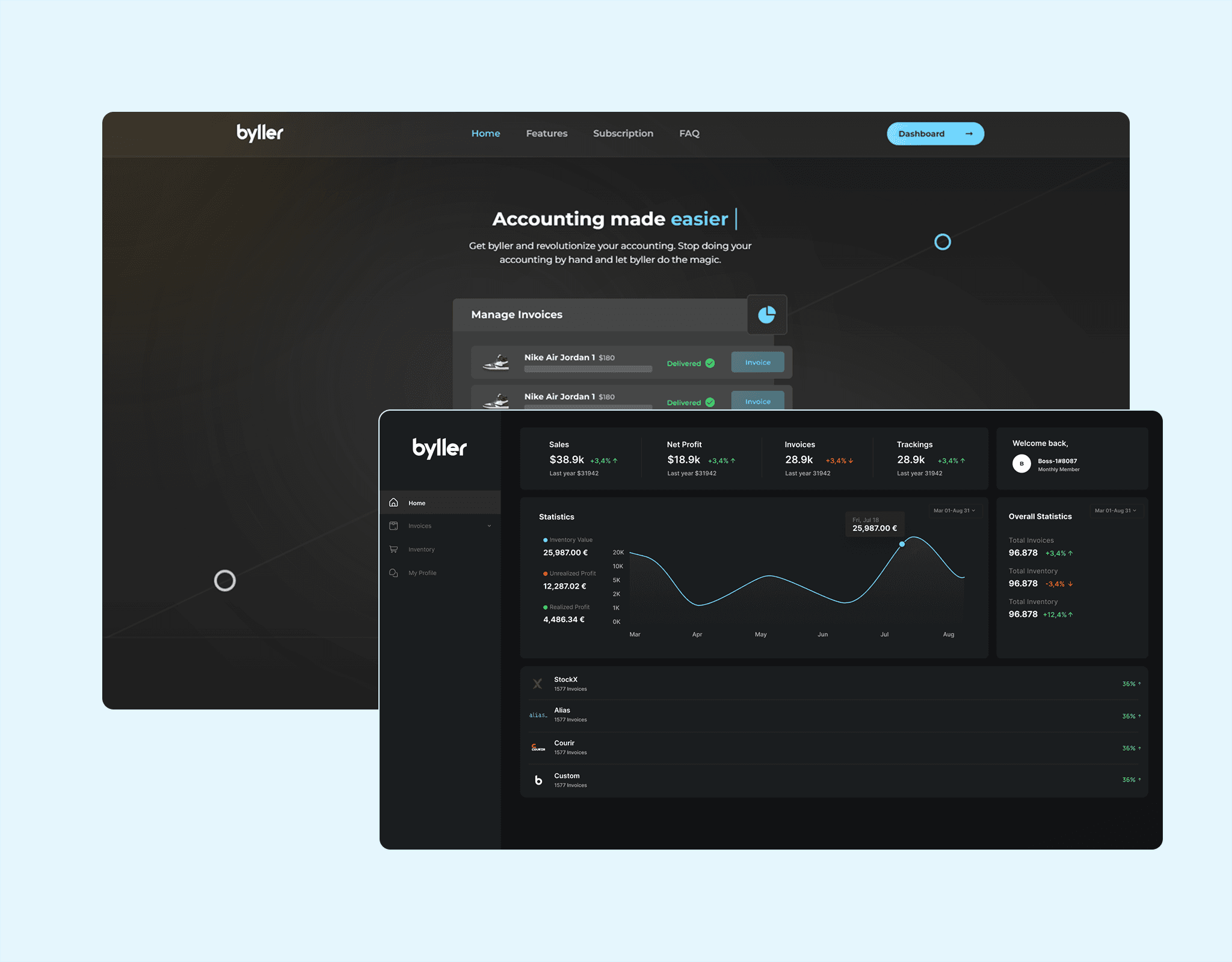
I delivered the full surface set: an animated landing page, a dashboard customized around key features, a Chrome extension for in-browser access, and an Electron-based web-view dashboard that brought the product to Windows desktops while sharing the same web codebase.
Problem
The challenge
Each platform gap — web, browser, desktop — was a reason for a different user segment to churn.
- 01
The landing page did not engage visitors or communicate the product story.
- 02
Dashboard friction slowed the tasks users repeat every day.
- 03
Browser-heavy users had no in-flow access to platform features.
- 04
Windows desktop users were entirely unserved by a web-only product.
Approach
How I built it
The key architectural and product decisions, in the order they were made.
One web core, many shells
Kept the dashboard as the single source of truth UI, then wrapped and extended it for browser and desktop instead of forking three codebases.
Story-driven landing
Built the landing page as a narrative with staged animation — hero, proof, feature tour, call to action — responsive across devices.
Dashboard around habits
Reorganized navigation and surfaces so the highest-frequency features surface first, with shortcuts for power users.
Electron as a thin shell
Packaged the web dashboard in Electron with native window behavior, offline awareness, and auto-update readiness for Windows distribution.
Features
What shipped
Animated landing page
Staged scroll and entrance motion that guides visitors from headline to signup.
Customized dashboard
Key features promoted, navigation simplified, and feedback states polished.
Chrome extension
In-browser access to platform functionality without leaving the current tab.
Electron desktop app
Windows desktop shell with native windowing around the shared web dashboard.
Cross-platform parity
Feature behavior consistent across web, extension, and desktop from one core.
Responsive throughout
Every surface tuned from small laptops to large desktop displays.
Problem solving
Hard parts & trade-offs
Every project has moments where the obvious path breaks. These were the defining ones.
Challenge
Desktop packaging can easily diverge from the web app it wraps.
Solution
Kept Electron strictly a shell — all product logic stayed in the web codebase, so updates ship to every surface together.
Challenge
Three surfaces triple the testing matrix.
Solution
Prioritized shared-component coverage and manual pass checklists per shell, focusing on auth, navigation, and offline states where shells differ.
Challenge
Heavy landing animation hurts low-end devices.
Solution
Used GPU-friendly transforms, IntersectionObserver-gated reveals, and reduced-motion fallbacks so the story lands on modest hardware too.
Outcomes
What it achieved
4 surfaces
One codebase core
Landing, dashboard, extension, and desktop share product logic and design.
Windows
Desktop reach
Native-feel desktop access for users outside the browser.
In-flow
Extension access
Platform features available at the moment of need in the browser.
Engaging
Landing narrative
An animated, responsive story replacing a static product page.
Retrospective
What I took away
Electron works best as a dumb shell around a smart web app — the moment native code owns product logic, maintenance doubles.
Cross-platform parity is a testing problem more than a coding problem; invest in the matrix early.
Animation budgets (transform-only, gated reveals, reduced-motion) are what make “smooth” actually shippable.