Self-Hosted Order Management for Social Sellers
Orders, stock, payments, invoices and backups in one place, running on the seller's own server.
- Role
- Solo developer. Product, API, web app, docs and deployment.
- Timeline
- 2026 — Present
- Team
- Just me, from design to release.
- Status
- Live and open source (AGPL-3.0)
Overview
What this project is about
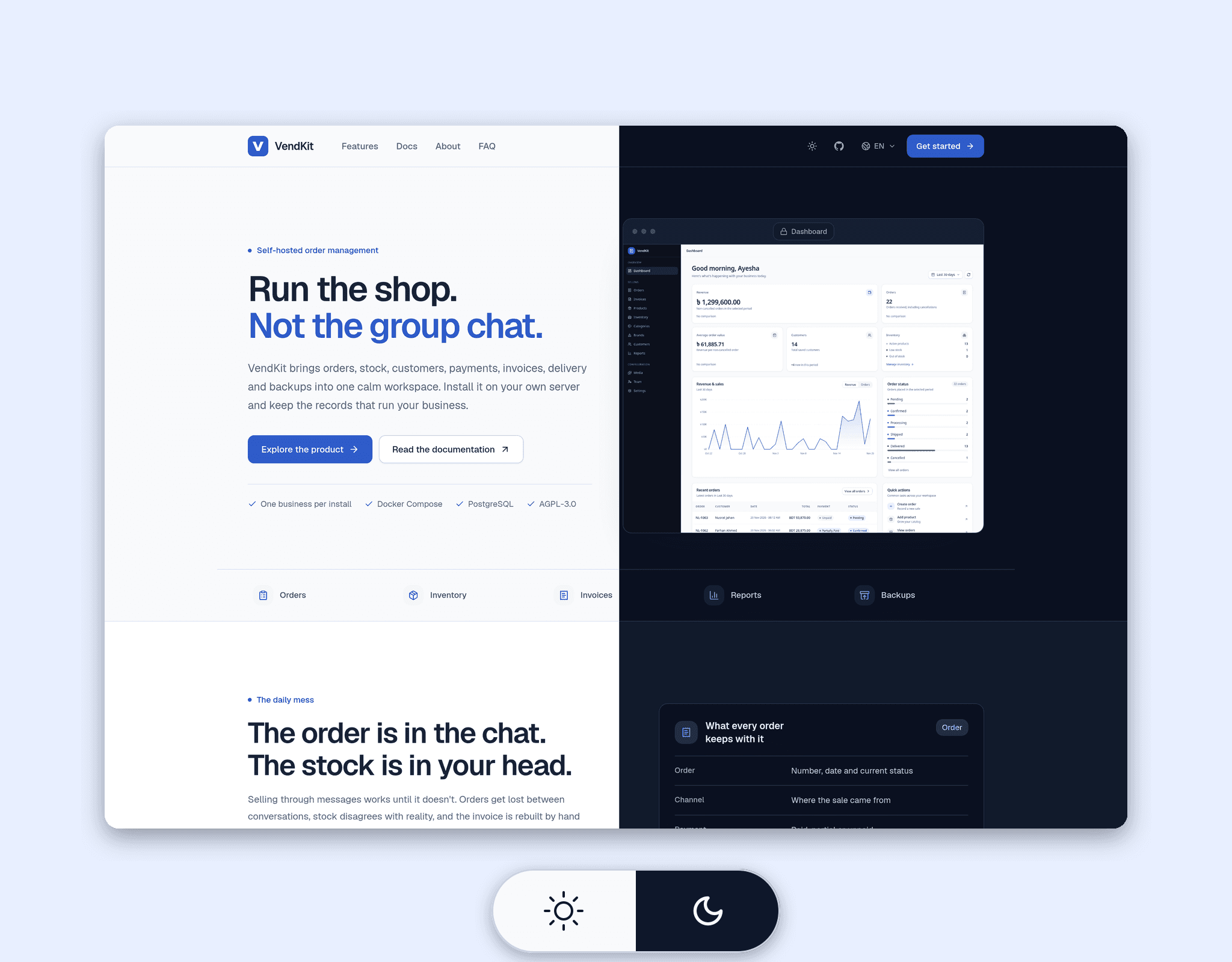
Sellers who take orders through Facebook, Instagram or WhatsApp usually end up with the same mess. Orders sit in chat threads. Stock lives in a notebook. Payments come in pieces, often as screenshots. At the end of the month, invoices are rebuilt by hand because nobody wrote it down.
VendKit is my answer to that. It's a single-business app you install on your own server: one Compose file, PostgreSQL, a couple of secrets and a first-run admin account. There's no vendor account and no shared database. Orders, stock, customers, payments, invoices, delivery, reports, team accounts and backups all live on hardware the seller controls.
Problem
The challenge
The business was real, but the records were spread across chats, notebooks and spreadsheets. Nobody could say what had been sold, paid, shipped or still owed.
- 01
Orders came in on Facebook, Instagram, WhatsApp and the phone, then stayed in those conversations.
- 02
Stock lived in a notebook, someone's memory or a spreadsheet nobody trusted. Overselling was normal.
- 03
Payments arrived in parts, and the proof was usually a screenshot. Keeping track of who still owed money was guesswork.
- 04
Invoices and monthly totals were put together by hand at the end, from whatever records were left.
Approach
How I built it
The key architectural and product decisions, in the order they were made.
One business per install
I left multi-tenancy out on purpose. One install, one database, one backup. It keeps the code simpler, and a seller can understand what they're running.
Start with the order
The order record holds the customer, products, channel, payments, delivery details, notes, history, invoice and stock movements. Everything else is a view of that record, so there's less to keep in sync.
Keep the API private
The browser only talks to Next.js. Next.js talks to the NestJS API on the server with a shared key, so the API and Postgres never need to be public. One origin, one HTTPS certificate.
Treat backups as a feature
Backups are part of the product, not a shell script. Archives are versioned, checked before they're restored and written in one transaction. You can also take a safety copy first.
Features
What shipped
Orders and activity
Write an order with the customer, products, shipping, channel, payments and notes. Every change after that goes into a timeline.
Stock that moves with the order
Placing an order takes stock out. Cancelling or returning it puts stock back. Every movement is recorded, and low stock shows up on the dashboard.
Invoices that number themselves
Each order gets one invoice, with its own number, terms and business details. Download it as a PDF when it's ready.
Reports from the same data
Revenue, status, channel, daily sales, top products and top customers come straight from the orders. Export any view to CSV if you need it elsewhere.
A small team
The first account you create is the admin. After that, sign-up closes and you add the rest of the team from inside the app. Everyone gets their own login.
Backups that can be restored
A backup includes the catalog, customers, orders, payments, invoices, stock history, settings and media. Restore checks the archive first, then writes it in one go.
Product tour
A look around the app
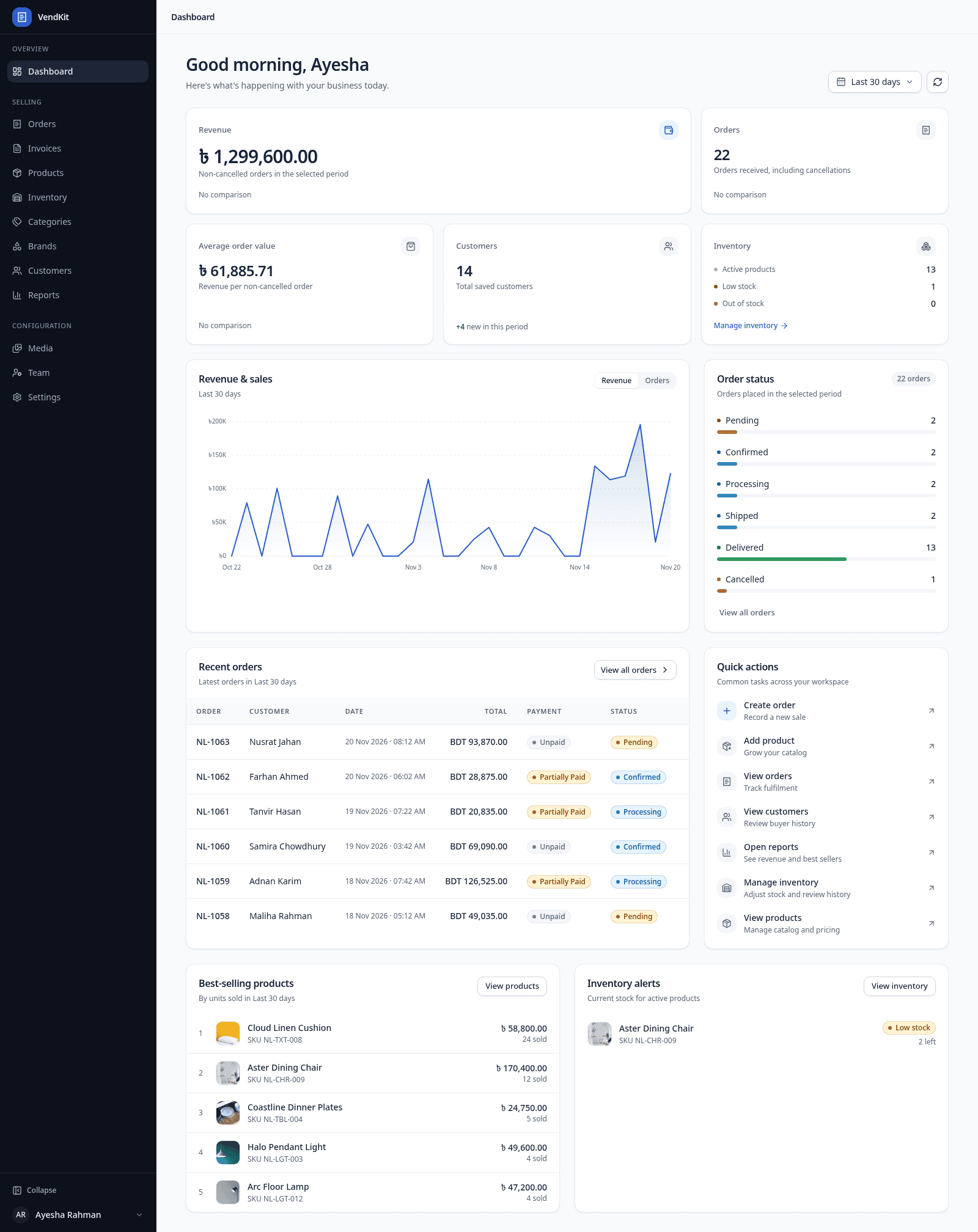
Pick an area, then click through the screens. You can open any of them at full size.
Overview
Dashboard
Problem solving
Hard parts & trade-offs
Every project has moments where the obvious path breaks. These were the defining ones.
Challenge
A restore that half-finishes is worse than no restore at all.
Solution
Restore runs inside one transaction. The archive is checked first, then everything is written or nothing is. You can take a safety backup before you start.
Challenge
The backup had to be complete without becoming a security risk.
Solution
Archives leave out users, sessions and server secrets. What's left is the business data and media, so a copy can be stored or moved without handing over the keys to the server.
Challenge
Stock had to stay correct through sales, cancellations and returns.
Solution
Stock works like a ledger. Each sale, cancellation or return adds a movement, and the current level comes from those movements. Nothing overwrites the count without a record of why.
Outcomes
What it achieved
1 install
One business
No tenant layer, no workspace switcher and no shared database between customers.
7 areas
In one app
Orders, inventory, invoices, reports, customers, team and backups replace the notebook, the spreadsheet and the chat history.
Verified
Restorable backups
A checksum and a transaction turn the archive into something you can actually restore.
AGPL-3.0
Open source
Read it, change it, run it. No account required.
Retrospective
What I took away
Self-hosting is part of the product. If install, setup and restore are painful, the app doesn't work, no matter how good the dashboard looks.
Modelling the order first made the rest easier. Invoices, stock and reports are just different views of the same record.
A backup you've never restored is just a file. Checksums and transactions are what make it useful when something goes wrong.